



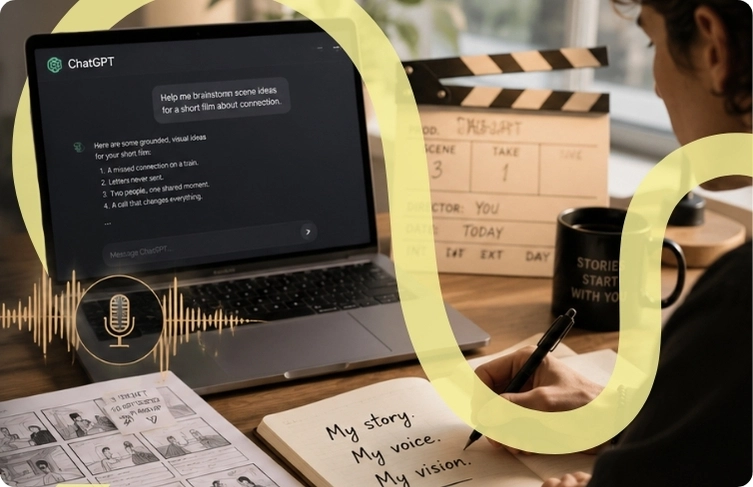
The wrong way filmmakers approach AI tools
Most filmmakers treat ChatGPT like a scriptwriting machine—dump in a premise, expect a draft. This is where the voice dies. You feed ChatGPT a tone, and it returns something functionally correct but emotionally hollow. It misses the small details that separate your work from the template. It flattens conflict into exposition and turns subtext into obvious plot points. The tool is doing what you asked, but you asked the wrong question.
Director Denis Villeneuve has spoken about how the best pre-production happens in constraint, not in abundance. He works with a tight creative circle, asking specific questions that force him to articulate exactly what he wants. ChatGPT can’t replace that conversation, but it can stand in for the first draft of the conversation—if you ask it to play a specific role instead of handing it the wheel.
What ChatGPT is actually useful for in pre-production
ChatGPT shines in three specific pre-production moments: research acceleration, structural scaffolding, and reverse-engineering. In research, you’re not asking it to write; you’re asking it to synthesize. Ask ChatGPT to pull together references: films with similar visual language to what you’re imagining, directors who solved the same problem you’re facing, technical approaches to atmosphere. Then you watch those films and decide what’s yours to steal.
Structural scaffolding is where most filmmakers miss the opportunity. Rather than writing your scene breakdown, ask ChatGPT to generate three completely different structural approaches to your three-act problem, then argue against all of them. You’ll clarify your instinct by disagreeing with an AI. This is faster than staring at a blank page. Director David Fincher builds multiple editorial passes into his development process; ChatGPT accelerates that iteration.
Reverse-engineering is the secret weapon. After you’ve written a scene you love, paste it into ChatGPT and ask: “What emotional beats are working here? What’s the subtext? What questions is this scene actually answering?” ChatGPT won’t judge your work—it’ll map it, and you’ll see what you’ve done well clearly enough to repeat it intentionally in the next scene.

Three prompts that protect your voice
The difference between losing your voice and keeping it comes down to how you frame the prompt. Generic prompts (“Write a scene where the protagonist realizes the truth”) produce generic work. Specific prompts grounded in your creative decisions produce creative scaffolding. The first prompt you should master: “I’m working on a scene about [your specific situation]. I’m drawn to [specific reference or tone]. Generate three completely different approaches, none of them similar to [the reference].” You’re giving ChatGPT taste markers and then explicitly asking it to avoid them. You’re teaching it your taste by excluding the obvious.
The second prompt maps your intuition without replacing it: “This scene [your scene] feels like it’s working, but I can’t articulate why. What’s the emotional logic here? What does the character actually want, underneath the surface action?” Let ChatGPT articulate your instinct back to you. This is a mirror, not a source.
The third prompt is reverse-editing: “I want to cut this scene down by 30 percent. Generate five versions that remove different elements, but preserve the core emotional beat.” Now ChatGPT isn’t writing your story; it’s exploring your story. You pick which cuts feel true, and the tool moves faster than your instinct would alone.
When ChatGPT becomes a liability
The moment ChatGPT becomes dangerous is when you’re tired. When it’s 11 p.m., you’ve been working on pre-production for six hours, and ChatGPT offers you a finished section that’s 90 percent good, it’s tempting to paste it in and move forward. Don’t. That 90 percent good is exactly the problem. It’s smooth enough to skip editing, but dull enough to weaken your draft. The slickness of AI output is its trap. A human collaborator would hand you rough diamonds; ChatGPT hands you polished glass.
Cinematographer Roger Deakins talks about the difference between technically perfect and visually alive. ChatGPT output is technically perfect by definition. It’s alive only if you’ve shaped it with your own decisions. Use it as a thinking tool, not a finishing tool. The moment you stop editing ChatGPT’s output is the moment your voice disappears into the algorithm’s statistical center.





Share your thoughts